
Dynamo Package
Custom nodes with practical use cases and clear release notes.
PRO-BIM Nodes
Geometry
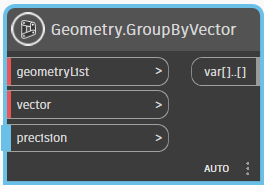
Geometry.GroupByVector
Inputs
- geometryList - list of Dynamo geometries to group
- vector - reference vector for grouping
- precision - precision of grouping analysis
Outputs
- groups - grouped geometries by vector projection
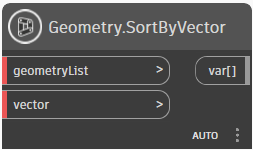
Geometry.SortByVector
Inputs
- geometryList - list of Dynamo geometries to sort
- vector - reference vector for sorting
Outputs
- sortedList - sorted geometries by vector projection
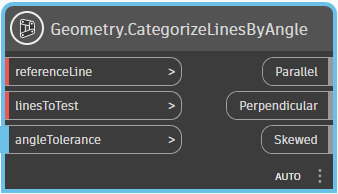
Geometry.CategorizeLinesByAngle
Inputs
- referenceLine - line used as a reference
- linesToTest - list of lines to compare
- angleTolerance - tolerance in degrees for angle classification
Outputs
- Parallel - lines parallel to the reference
- Perpendicular - lines perpendicular to the reference
- Skewed - lines that are neither parallel nor perpendicular
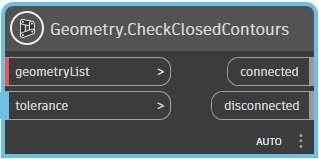
Geometry.CheckClosedContours
Inputs
- geometryList - flat list of lines or curves
- tolerance - endpoint tolerance for contour joining
Outputs
- connected - joined PolyCurves with closure info
- disconnected - geometry not joined into contours
MEP
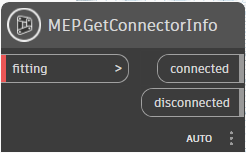
MEP.GetConnectorInfo
Inputs
- fitting - MEP fitting element to analyze
- connected - checks connected status
- disconnected - checks disconnected status
Outputs
- connectorInfo - connector status details
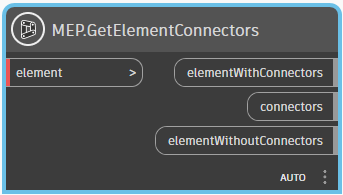
MEP.Element.GetConnectors
Inputs
- element - Revit element (e.g., fitting, pipe, duct)
Outputs
- elementWithConnectors - element when connectors are found
- connectors - connector list from the element
- elementWithoutConnectors - element when no connectors are found
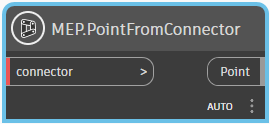
MEP.Connector.Point
Inputs
- connector - Revit connector object
Outputs
- point - connector location as Dynamo point
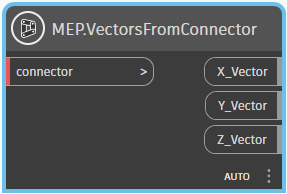
MEP.Connector.Vectors
Inputs
- connector - Revit connector object
Outputs
- X_Vector - connector local X axis
- Y_Vector - connector local Y axis
- Z_Vector - connector local Z axis
MEP.CreateCableTrayByLine
Inputs
- line - Dynamo line for cable tray path
- cableTrayType - Revit cable tray type
- level - Revit level
- offset - vertical offset relative to level
Outputs
- cableTray - created cable tray element
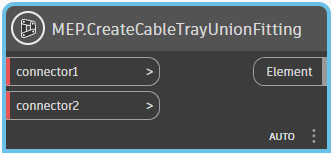
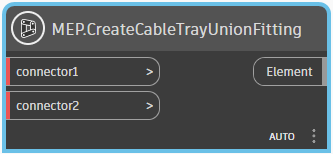
MEP.CreateCableTrayUnionFitting
Inputs
- connector1 - first cable tray connector
- connector2 - second cable tray connector
Outputs
- unionFitting - created union fitting element
Rebar
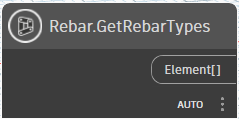
Rebar.GetRebarTypes
Inputs
- element - Revit element for extraction
Outputs
- rebarTypes - available rebar types
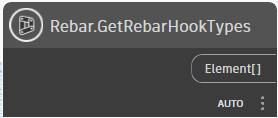
Rebar.GetRebarHookTypes
Inputs
- element - Revit element for extraction
Outputs
- rebarHookTypes - available rebar hook types
DWG
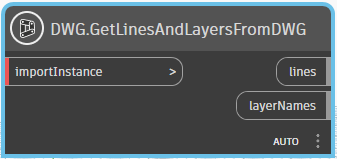
DWG.GetLinesAndLayersFromDWG
Inputs
- importInstance - imported DWG element (ImportInstance)
Outputs
- lines - curves extracted from DWG geometry
- layerNames - layer names corresponding to extracted curves
Views
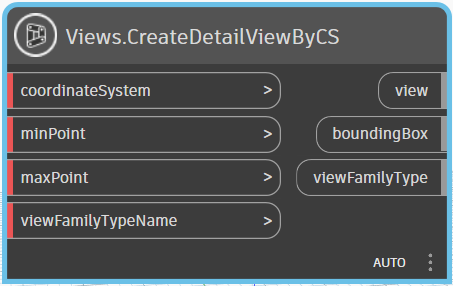
Views.CreateDetailViewByCS
Inputs
- coordinateSystem - view orientation and origin
- minPoint - minimum bounding box point
- maxPoint - maximum bounding box point
- viewFamilyTypeName - detail view type name
Outputs
- view - created detail view
- boundingBox - resulting bounding box geometry
- viewFamilyType - view family type used
Info
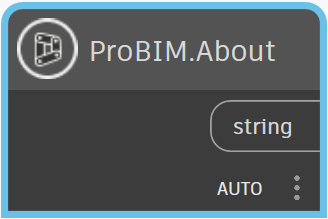
ProBIM.About
Inputs
- None
Outputs
- info - multiline string with package information and links
Changelog
-
Version 1.0.0
Initial public release of the package.